
A before-and-after video asks viewers to compare two states. If the camera moves closer, the light changes dramatically or objects disappear outside the crop, they are comparing more than the change you intended to show.
Before planning a Kling 4.0 transition, make the two views understandable on their own. This guide uses an original illustrated desk-organizing example. It is a fictional demonstration of framing and editing choices, not a record of a real transformation or a model-generation test.
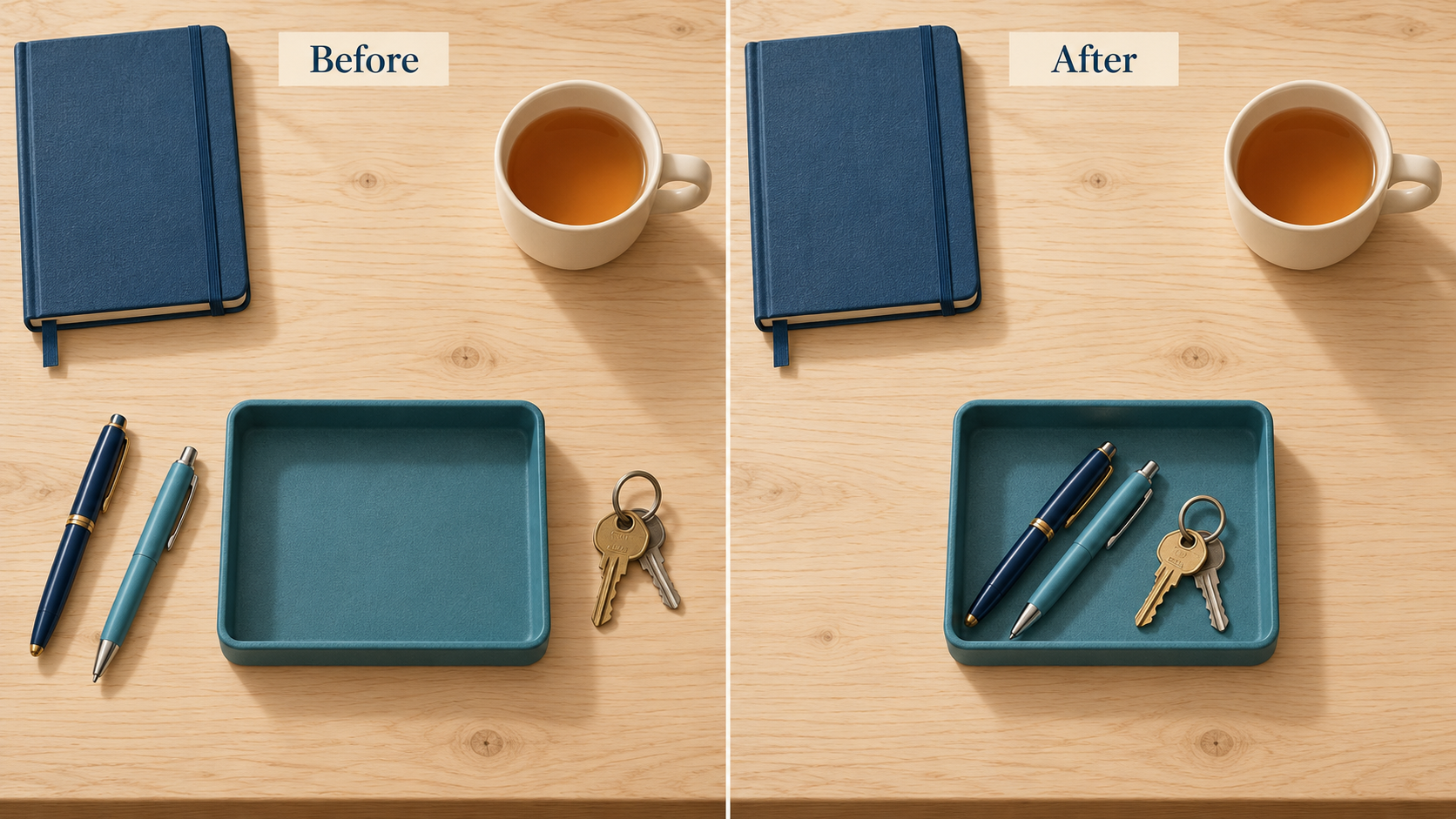
These fictional before-and-after illustrations demonstrate matched framing. They do not document a real tidy-up or an AI-generated video result.
Decide what the comparison is supposed to show
Our example is simple: loose keys and pens are placed in a tray, while the notebook and cup remain on the desk. The useful comparison is the arrangement of those items. It is not a claim that a product improved productivity or created more space.
Write the intended change before shooting or drawing the pair:
Show how placing the loose keys and pens in the existing tray clears the middle of the desk. Keep the desk, notebook, cup and camera view consistent.
This sentence sets a boundary. If the “after” view removes the cup, changes the notebook size and makes the table larger, the comparison has drifted. Those changes might make a more attractive picture, but they no longer isolate the stated task.
For a real project, capture both views before building the transition. Do not reconstruct a missing “before” image and present it as something the camera recorded.
Match the view with landmarks
Choose a few stationary landmarks: the table edge, a notebook corner and the cup's position. Keep the camera support and viewpoint fixed where practical. Review the framing before moving the items so you do not discover a mismatch only after the desk has changed.
If you must move the camera, retain a wider reference view and be candid about the difference. Cropping can improve a layout, but it cannot make two different viewpoints identical. Avoid stretching one image to align a landmark; that may alter object proportions while making the pair appear more comparable.
Use the same general lighting setup if the arrangement is what matters. A harshly lit “before” and softly lit “after” can imply that the organizing step changed the atmosphere as well as the objects. Decide whether that is part of the real event or a styling choice, and describe it accordingly.
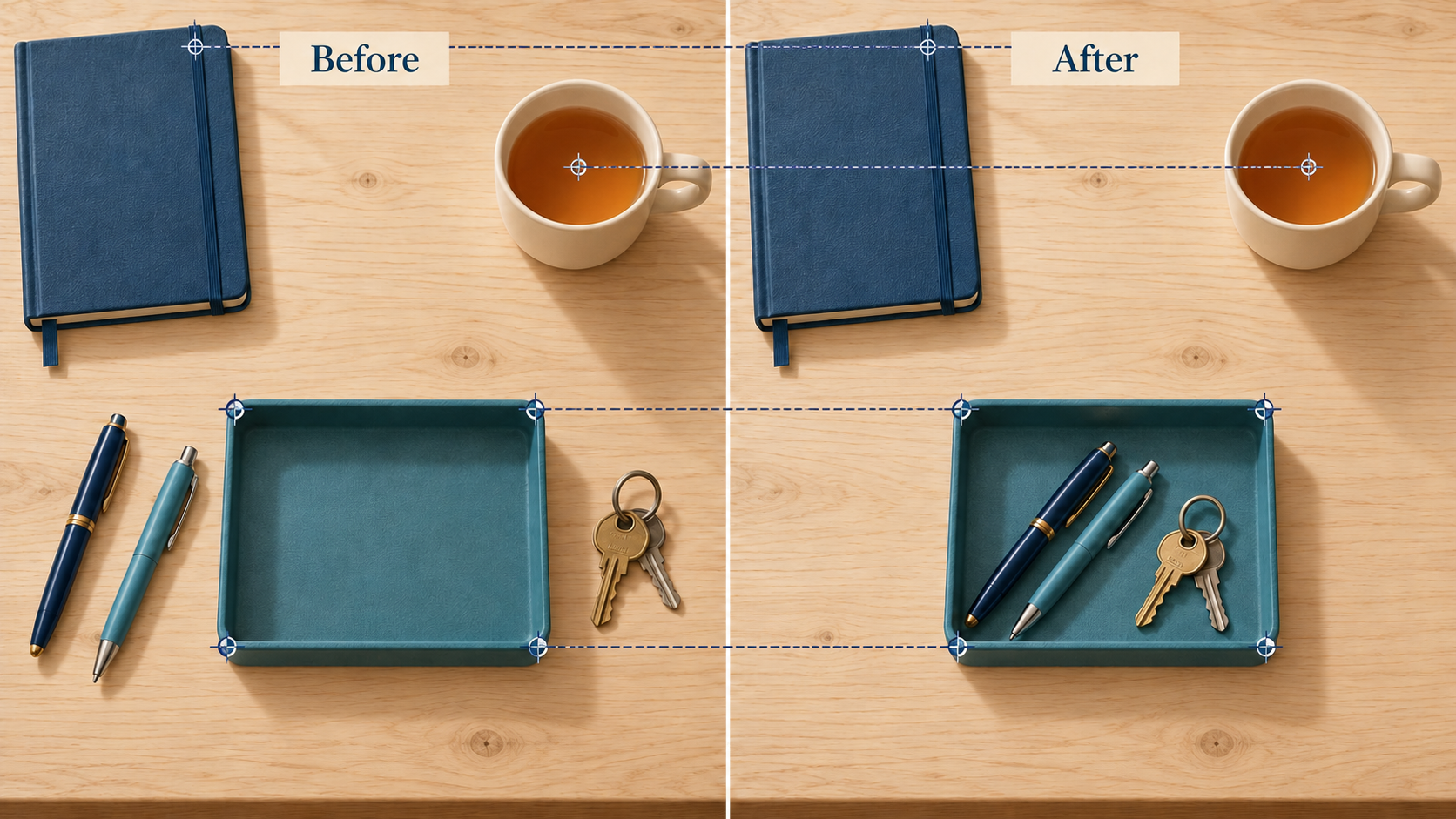
Check stable landmarks before judging the change. A shift in crop or camera position can exaggerate a result.
Choose a cut, a recording or a labelled transition
A direct cut is often sufficient. Let the viewer inspect the first state, cut to the second and give the second a comparable hold. An elaborate transition is unnecessary when the arrangement itself communicates the point.
Use a recording when the process matters. If the audience wants to learn how the items fit into the tray, show the actual placement. A generated movement between endpoint images is not a substitute for evidence of that action, especially if it invents a hand movement or makes an item pass through another object.
A concept transition can have a different purpose: illustrating a proposed arrangement or exploring a visual style. In that case, identify it where it appears:
Illustrated concept transition between two planned desk arrangements; not a recording of the organizing process.
If real endpoint photos are later used, describe exactly which parts are recorded and which part is generated. Do not let a smooth middle imply that the entire sequence was filmed continuously.
Check the middle, not only the endpoints
Once you have an actual clip, pause it during the transition. Count the important objects. Does one pen turn into two? Do the keys vanish before reaching the tray? Does the cup shrink while the camera is supposed to remain still?
Then return to the endpoints. Are the notebook and cup recognizable, and do the table edges make sense? These checks help you identify whether the clip explains the arrangement or creates a new one.
Describe a problem in terms of the intended comparison: “The cup changes size even though it was meant to stay,” rather than “make it more realistic.” If preserving the real arrangement is essential and the transition keeps inventing changes, use the direct cut or the actual recording. Simpler media can give the viewer a clearer answer.
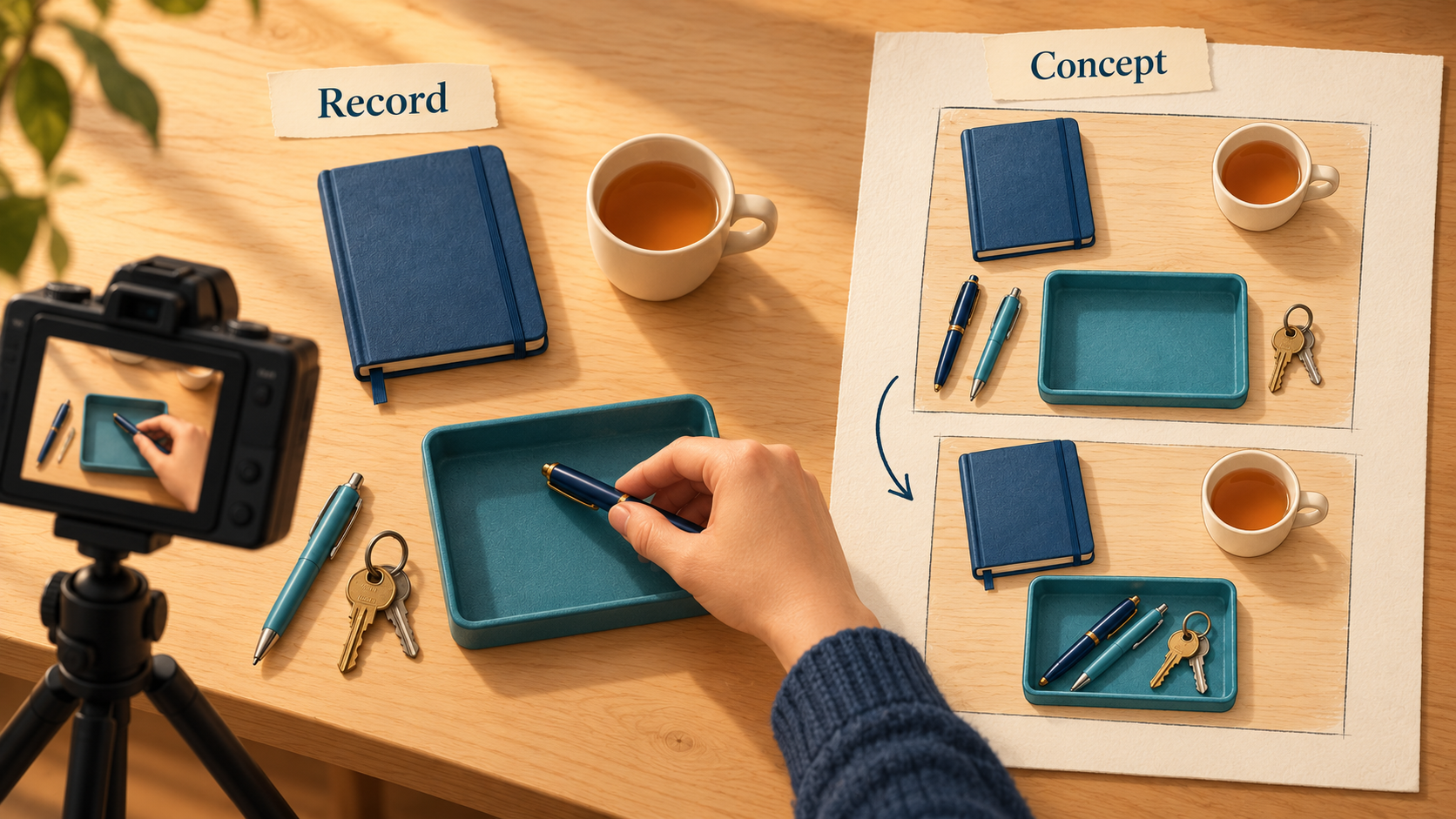
A recorded process and an illustrative transition make different claims. Label the second instead of allowing it to masquerade as the first.
Make the caption fit the evidence
A caption for real matched photos might say what changed and when they were taken. A caption for an illustration should say it is an illustration. A caption for a generated connection between recorded endpoints should identify that connection. Use the description that matches your actual materials, not the one that makes the result sound most impressive.
Use the matched pair to write a short motion brief, then develop a clearly labelled concept transition on the Flyne AI Kling 4.0 page. State that the notebook, cup and framing should remain consistent while the intended arrangement changes. Use the endpoint comparison to decide whether the draft clarifies the change, and retain a direct cut or recorded process when that gives the audience a more faithful explanation.
Disclosure: This article is provided by the Flyne AI brand team.
The final comparison should still make sense if the transition is removed. If the viewer can identify the intended change from the two clearly described states, motion can serve the presentation. If the endpoints are unclear or misleading, fix them before asking any model to connect them.


Join the conversation
Discussion0
Join the conversation. Sign in to leave a response or reply to comments.