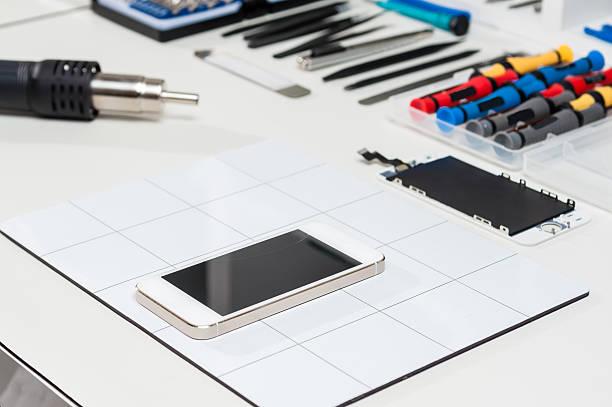
A Laptop is one indispensable device that is used in both work, education, business, and daily communications. If it gets a technical issue, no matter how small the fault is, it can disrupt your workflow and impact productivity. From a damaged screen to slow performance, battery issues to unexpected shutdowns, a good laptop repair shop in Wimbledon can help you get your laptop back up and running.
PC Xpress understands the importance of having a properly functioning laptop. The first step is to determine the cause of the problem, the possibilities of repair, and that your device is being treated properly. Professional laptop repair can help prolong the lifespan of your laptop, whether it's a common hardware issue or a software problem.
Professional Laptop Repair Shop in Wimbledon
When using a laptop, there are a variety of possible causes of problems, such as accidental damage, overheating, old components, software failures, or just normal usage. It's important to receive professional diagnosis because there are a handful of faults that can manifest themselves in the same way.
When customers visit PC Xpress for Laptop Repair Shop in Wimbledon, they have the option to discuss the solution to some of the problems they are currently facing. If your laptop is slow, won't start or hardware problems, it is important to find out the reason of the issue in order to have a successful repair.
The recommended repair, cost, parts needed and where to go to get them, and the anticipated time needed for the repair, should be discussed prior to beginning the work.
Laptop Screen Repair Wimbledon
If laptop screens are damaged, using the laptop, studying, and surfing the web can become challenging. The display panel can be damaged by accidental dropping, pressure or physical impacts, or can be disconnected from the motherboard.
Laptop screen repair Wimbledon can solve issues like:
Fractured or broken laptop screens.
A flickering or distorted screen.
Unusual display lines and black spots.
Poor screen display even after the laptop is turned on.
Low or varying levels of brightness.
Color displays that are not correct.
The technician might suggest replacing the laptop's display panel, or examining another component inside the laptop depending on the extent of the damage.
One thing to consider regardless of the brand of laptop you are using - whether it's from HP, Dell, Lenovo, Acer, ASUS or any other manufacturer - is whether or not it is compatible with the replacement screen.
Laptop Battery Replacement in Wimbledon
Are your laptop batteries short-lived? While your device is not plugged in, does it turn off unexpectedly? These are issues that could show battery deterioration.
Laptop batteries slowly lose capacity as they are charged repeatedly and the battery ages. If it is becoming obvious that performance is declining, it could be time to replace the battery on a laptop in Wimbledon.
Common signs of battery problems are:
Limited battery life when fully charged.
Unexpected shutdowns.
Battery % is decreasing very fast.
A computer that is only functional when plugged in to its charging station.
Physical change or battery swelling.
If the battery needs replacing, a professional evaluation will be able to tell you that; if it is the charging system, it will be able to tell you that too.
When a battery is swollen, cease using and charging the laptop and schedule a professional check up. Never attempt to remove it or puncture it.
Laptop Keypad Repair and Replacement.
Even basic operations can become cumbersome with a malfunctioning keyboard. The loss of keys, unresponsive buttons, liquid spills, and typing mistakes can hinder your laptop's operation.
There are a number of different ways that professional laptop keyboard repair may be performed, including cleaning, checking on the internal connections, repairing the damaged components of the keyboard, or replacing the keyboard assembly entirely.
The most frequent issues with the keyboard are:
Keys that refuse to press.Keys that won't press.
Repeated or wrong characters.
Sticky keys following liquid exposure.
Fractured or missing keys.
A stool that breaks easily.A toilet with a loose seat.
The right solution is going to be dependent on the design of the laptop and the degree of damage. A thorough examination can determine if your laptop is broken beyond repair or if it can be fixed and repaired.
Laptop Charging Port and Power Problems
If the laptop is charging - denied, it can break your work and make the gadget less simple to utilize. No battery is necessarily bad if it is giving you a charging problem. The issues could also be related to the charging adapter, power connector, charging port, or internal electronics.
A skilled inspection can assist in determining the root cause of the problem.
Common symptoms include:
Laptop not recognising the charger.
Intermittent charging connection.
Free and broken charging connections.
Indicating lights on power cords not coming on.
Unexpectedly turning laptop off.
The repair of the charging port on Laptop Repair Shop in Wimbledon could involve connector repair or replacement, depending on the type of laptop and the issues involved.
Do not use broken charging cables or put loose connectors in the laptop, as it may cause further damage.
Have the computer clean up any viruses and perform software troubleshooting.Clean up viruses and troubleshoot software from the laptop.
Not all laptop problems necessitate hardware replacement. Computer performance can also be impacted by software bugs, unwanted software, malware and outdated drivers.
Software troubleshooting might be required if your laptop is slow to start, often freezes, shows unexpected ads or acts in strange ways.
These are some of the more frequently used software-related services:
Removing virus and malware.
Operating system troubleshooting.
Windows install and recovery.
Upgrades to drivers and settings.
Software error diagnosis.
Starting up and optimising the start-up.
If you're searching for Laptop Repair Shop in Wimbledon then see if the repairer can look into both software and hardware issues.
There are also other ways to minimize computer problems in the future, such as regular software updates, dependable security and safe browsing practices.
The ability to recover data from and upgrade storage in Laptops.
Laptops hold important documents, business records, photos and personal files. If a storage drive fails or is made unavailable, it may become an issue to recover this information.
Laptop Data Recovery is a process of evaluating laptop storage device and deciding if data can be safely recovered.
Potential storage issues may arise, such as:
Laptop is not recognizing its hard drive.
SSD or HDD failure.
Bad operating system files.
Accidental file deletion.
Damaged storage partitions.
In certain instances, replacing the standard hard drive with a compatible solid-state drive (SSD) can also enhance laptop boot-ups and responsiveness.
Consider backing up important information if possible before attempting repairs or reinstalling an OS. The chances of recovering success will depend on the type of storage damage and how severe it is.
Overheating is a common issue and the solution is to repair the fan.
Another common issue with laptops is overheating. Too much heat can negatively impact performance, lead to unexpected shutdowns and can even ruin parts inside the system.
Overheating can be caused by dust build-up, blocked ventilation, cooling fan problems and thermal management problems.
Your laptop might be in need of some attention if it shows any of these symptoms:
Always cooling fans on.Running cooling fans all the time.
Too much heat from the keyboard or the underside.
Abruptly stopping with challenging activities.
A sluggish running of applications.
Unusual fan noises.
Laptop overheating repair by a professional could include a review of the cooling mechanism, cleaning of ventilation spaces, checking the fan and thermal components.
Properly maintaining your laptop by clearing the work areas and using a hard surface for your laptop can also help keep the correct air flow going around the laptop.
MacBook repair in Wimbledon is a completely new experience.
The design and performance of MacBooks have made them a popular choice among students, professionals and business users. Like other computers they can have hardware or software malfunction, however.
A broken screen, battery failure, keyboard issues, charging problems and operating system errors are all potential causes for MacBook repair in Wimbledon.
There are specific designs and repair requirements for Apple devices, so you should hire a technician who is knowledgeable with the respective MacBook model.
Inquire about component compatibility, protection of data, possible expenses, and possible functions to be impacted following replacement before scheduling a repair.
So, why would you choose PC Xpress as your Wimbledon laptop repair shop?
When it comes to selecting a laptop repair provider, there is more to it than just comparing prices. The customers expect clear communication, correct diagnosis and repair solutions as per the device and budget.
When looking for Laptop Repair Shop in Wimbledon, consider PC Xpress.
Customers should consider when booking a repair:
Proficient Technical Support: Familiarity with various laptop brands, models and hardware and software issues.
Clear Repair Estimates: Problem description, recommended solution and expected costs prior to work.
Quality and Compatibility of Replacement Parts: Details of replacement parts suitable for the machine.
Data Protection: Using appropriate measures when dealing with personal files and sensitive information.
Repair Transparency: Information on the expected repair time and warranty conditions.
These are some of the things that can assist customers in making an informed choice about which laptop repair service to select.
Choosing a Good Laptop Repair Service in Wimbledon
Some important considerations before you give away your laptop.
To begin with, check the brand and model of the laptop. This information can be used to decide on the components that might need replacement.
Then give a clear description of symptoms. Describe any symptoms that indicate the laptop isn't turning on, won't display the screen, is running very slowly, or has become hot and overheated.
Always request a diagnosis and quote before accepting any repairs. It's also important to understand if the repair work comes with a warranty, and what its duration is.
Last, but not least, safeguard valuable information and do not provide unnecessary personal information or passwords.
These precautions will make the repair procedure simpler.
Book Your Laptop Repair in Wimbledon with PC Xpress
Not all broken laptops require buying a new laptop. Whether it's damaged screens, worn batteries, keyboard problems, charging issues, or software glitches, there are several common problems that can be addressed through proper repairs.
When looking for a reliable Laptop Repair Shop in Wimbledon, it is important to keep an eye out for a name like PC Xpress among the local repair services.
From laptop screen replacement to virus removal, MacBook troubleshooting to hardware or software diagnosis and repair, knowing the solutions is the first step.
Contact PC Xpress to discuss your laptop issue, review repair options and get a quote.
Use the right solution to keep your laptop running at its best, with PC Xpress Wimbledon.
Join the conversation
Discussion0
Join the conversation. Sign in to leave a response or reply to comments.