“Make it cinematic” leaves a lot undecided. Should the camera approach the subject, should the subject travel through a fixed frame, or should the scene simply change mood? Each request needs a different pair of images.
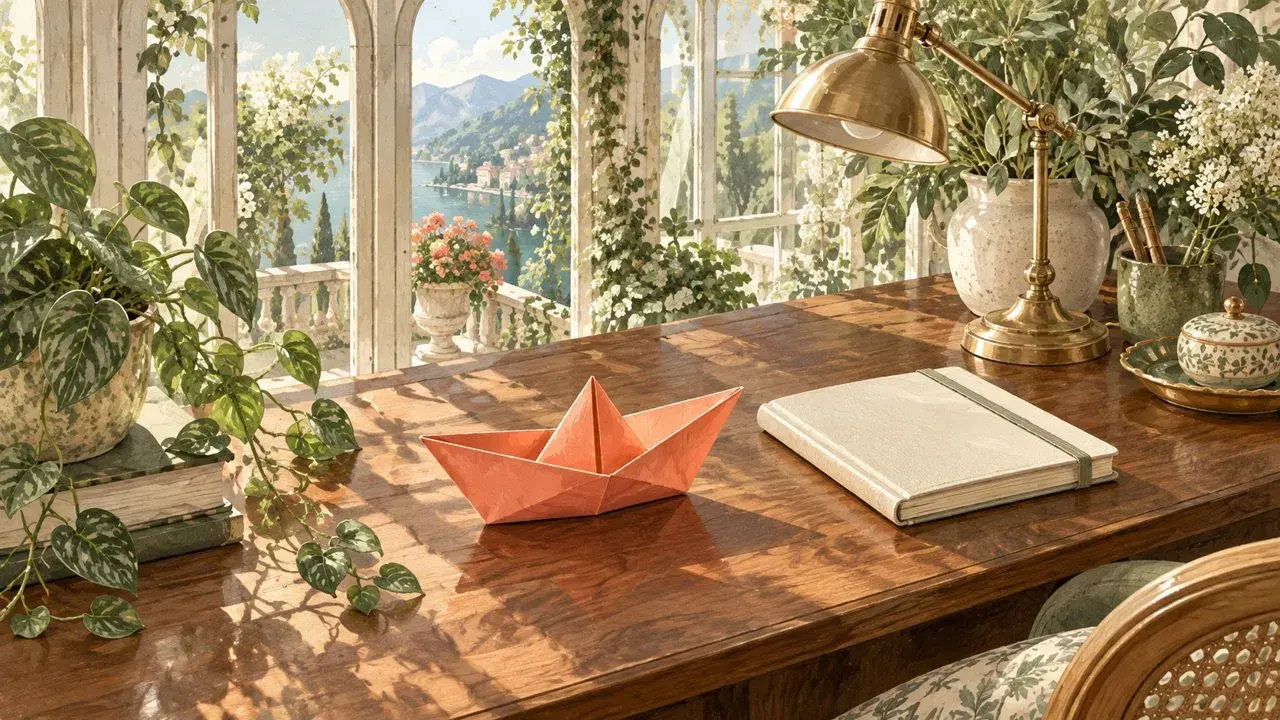
The examples below use an invented conservatory desk and a coral paper boat. AI-assisted artwork and native image composition establish the reference states; none of the illustrations is a video output. Choose one motion for one attempt, then adapt its prompt to your own original or permitted images.
Choose the change before choosing adjectives
Choose | Change | Keep fixed |
|---|---|---|
Slow push | End with a tighter view. | Subject position in the scene. |
Short slide | Move one subject across the view. | Camera, subject size and orientation. |
Gentle light change | Shift the illumination mood. | Composition and object positions. |
These image to video prompt examples describe intent rather than guaranteed controls. A clear endpoint pair makes the request easier to inspect; it does not ensure the model will obey every instruction.
1. Camera movement prompts: a slow, straight push
Prepare the pair. Start with the full desk view. For the last image, make a slightly tighter view of the same scene, keeping the boat fully visible. Here the ending reference is a modest centered crop resized to the same dimensions as the first. It is a framing guide, not evidence of a real dolly move: a flat crop does not create new perspective or parallax.

Framing plan: a wider first view and tighter last view. This crop-based guide suggests a push; it does not demonstrate camera travel or parallax.
Copy this prompt:
Create a five-second shot of the coral paper boat on the conservatory desk. Begin with the supplied wider first view and gradually approach the tighter last view with a slow, straight push toward the boat. Keep the boat stationary on the desktop, preserve its folded shape and coral color, and keep the book, plants and window architecture consistent. Use a steady movement without an orbit, tilt or sudden acceleration. Keep the light stable and finish with a brief hold matching the ending reference. Add no people, text or new objects.
Replace: “coral paper boat,” “conservatory desk” and the named background anchors with the subject, setting and anchors actually visible in your pair. Keep “five-second” for the current free attempt. Prepare the tighter reference externally; the prompt is not an instruction to create a missing input file.
Check conflicts: do not ask for a locked camera while requesting a push. Do not provide a side view as the ending image and call it a straight approach. Leave enough margin that the intended closer framing will not cut off the subject. If true perspective change matters, prepare that compatible view separately rather than calling a crop a physical camera reconstruction.
2. Subject motion: one short slide to the right
Prepare the pair. Keep the background pixels and framing the same. Place the same boat slightly farther right in the last image, with the same scale, folds and orientation. Leave clear desktop between the positions. In this example, the planned translation is 100 pixels across a 1280-pixel-wide image; it is a composition choice, not a measured real-world distance.

Subject-motion plan: the same boat moves right at unchanged scale. These are composed reference states, not footage or a physical experiment.
Copy this prompt:
Create a five-second stylized shot with a fixed camera. Move the single coral paper boat a short distance to the right across the walnut desktop, from its position in the first reference to its position in the last reference. Keep its size, orientation, color and folded silhouette consistent. Keep the book, plants, windows and overall lighting stationary. Use one smooth slide, ease into the final position and finish with a brief hold. Do not rotate, lift, unfold or duplicate the boat. Add no hands, water, text or other moving objects.
Replace: the subject, surface and direction. If you change “right” to “left,” prepare a last image that actually ends on the left. Adjust the distance through the reference placement, keeping the whole path within the frame.
Check conflicts: a boat sliding on a dry desk is an intentional stylized motion idea, not a claim about how an unpowered paper boat moves. Do not ask it to sail without preparing a different setting. A larger ending boat would also imply a depth or scale change; that conflicts with this flat sideways slide. If the desired story requires a hand moving it, this prompt and pair would need redesigning.
3. Light change: gently warm the fixed scene
Prepare the pair. Reuse the identical composition. Make the ending state only a little warmer, preserving visible folds, object positions and the room's geometry. Our reference uses a digital color treatment as a cue; it does not calculate sunlight, shadow travel or a lamp's physical output.

Light-change plan: geometry stays fixed while a digital warm grade suggests the intended change. It is not a simulated light source or a generated result.
Copy this prompt:
Create a five-second shot of the stationary coral paper boat on the conservatory desk. Lock the camera and keep every object in its original position and shape. Gradually shift the scene from the first reference's neutral daylight toward the last reference's gently warmer illumination mood. Keep the boat recognizably coral, retain surface detail and avoid blown highlights. Make the change smooth, with no flicker, moving shadow sweep or abrupt flash. End with a brief hold on the warmer state. Add no object motion, people or text.
Replace: the scene and subject descriptions, then choose a mild ending mood supported by your prepared image. A warmer ending does not need to become a different hour, season or weather condition.
Check conflicts: “everything stays fixed” conflicts with a moving sunbeam or waving leaves. “Preserve the coral color” permits an overall mild lighting impression, not changing the boat into a different material. Inspect a future candidate for unwanted recoloring as well as flicker. If you need precisely repeatable color grading, use an image or video editor instead.
Use one selected pair in VO4
An optional place to try one of these image to video prompts is the VO4 AI free image-to-video generator. Its current public free form describes five seconds, 480p and zero credits. No account is required, but verification still is. The page describes unlimited attempts that can queue; neither that wording nor a prompt promises an immediate result. MiniMax H3 is the page's model label, not independent backend verification here.
Prepare the two clean files belonging to one selected example, first state then last state. Do not submit the labeled side-by-side teaching board or mix endpoints from different motions.
Open the image-guided route, supply the first and last images in that order and paste the selected prompt. Text-only generation is a separate route.
Select the matching aspect ratio: the examples are 16:9; the form also offers 9:16 and 1:1. Adapt the input framing before choosing another ratio rather than stretching the artwork.
Use the form's submit/verification flow and follow the displayed verification step. A queue means a wait, not proof that the request failed; no processing time has been measured here.
When a candidate is available, preview it before downloading. The page describes preview, download and history local to that page and browser; keep your source files separately.
This AI-assisted guide uses prepared examples to explain the workflow. The prompts have not been tested here, and no example video has been generated.
Inspect the requested change and the things that should stay still
For the push, check framing, subject identity and accidental orbiting. For the slide, check direction, folds and unwanted duplication. For the light change, check fixed geometry, color and flicker. At 480p, review the silhouette and major anchors before judging tiny details.
If a candidate adds a second motion, simplify that instruction and its references before trying again. Keep exact lettering, captions and any soundtrack work for a separate editor; these prompts do not establish native text or audio capabilities. The useful starting point is not the longest prompt. It is agreement between one intended change, two compatible images and a short list of things that must remain recognizable.


Join the conversation
Discussion0
Join the conversation. Sign in to leave a response or reply to comments.