An email password leak rarely announces itself. There is no alert, no strange popup and often no sign at all until someone uses the stolen login to get into an account. By then, the damage had started. The fastest way to get ahead of that risk is to run an email breach check and see whether an address has already shown up in a known breach, an infostealer log, or a leaked credential dump.
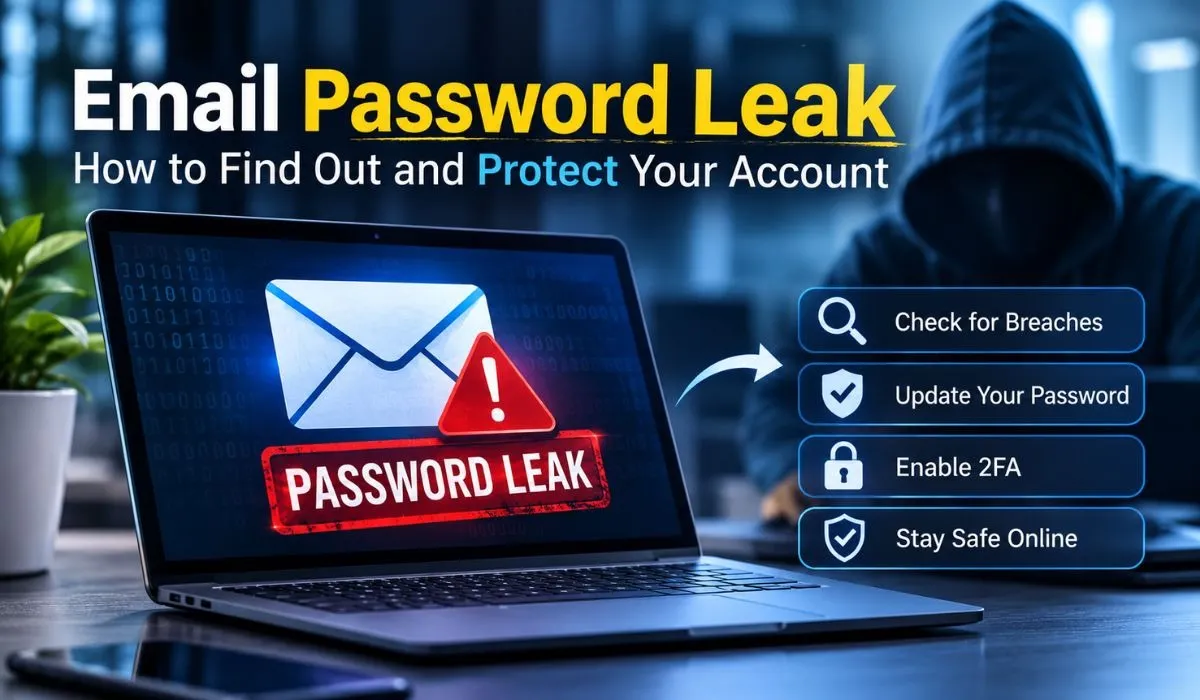
For security teams, the question goes beyond one inbox. Every employee address that appears in leaked data is a possible entry point for credential stuffing, phishing and account takeover. This guide explains what an email breach check is, how it works, how to run one and what to do with the result. It also covers why MSSPs and IT teams treat leaked credentials as a daily concern rather than an occasional one.
What Is an Email Breach Check?
An email breach check is a lookup that tells you whether a specific email address has appeared in leaked or stolen data. That data can come from a company breach, a malware infection on someone's device, or a credential dump traded on criminal forums. The check does not scan your inbox or your device. It searches collections of exposed data and reports whether your address was found in them.
The result is a signal, not a verdict. If an address appears, it means the address was part of some exposed dataset. It does not automatically mean your current password is known to an attacker. That is why the next steps matter as much as the check itself.
The same idea goes by many names. People search for an email password leak checker, an email leak lookup, a dark web email scan, or a leaked password database search. The purpose is the same. You want to know whether your login details are out in the open.
Email Breach Check vs. Password Check
An email breach check starts with an address. A password check starts with a password. Some tools support one, some support both. For a security team, the address-first approach is more practical because it ties exposure to a real account and a real person, which makes follow-up possible.
How Email Passwords Get Leaked
Understanding the sources helps you read your results. Email passwords leak in a handful of common ways.
Third-party breaches are the most frequent source. You sign up for a forum, a shop, or a SaaS tool using your email address. Years later, that service is breached and its user database ends up for sale or posted publicly. If you used the same password elsewhere, the leak follows you.
Infostealer malware is the second major source. Infostealers run quietly on an infected device and collect saved browser passwords, autofill data and session cookies. The stolen data is bundled into infostealer logs and sold or shared. Unlike a company breach, this data often reflects what was on the victim's device on a specific day, which can include logins for current accounts.
Phishing is the third. A convincing fake login page captures the email and password at the moment someone types them in. The attacker may use the credentials immediately or add them to a larger collection.
Combolists are the fourth. A combolist is a large file of email and password pairs assembled from many breaches and logs. Criminals use them to feed automated login attempts. A single address can appear in many combo lists over the years.
Finally, weak internal practices play a role. Shared mailboxes, reused passwords, old accounts left active and missing multi-factor authentication all make a leak more dangerous than it needs to be.
How an Email Breach Check Works
At a basic level, an email breach check takes an address and searches it against exposed data collected from several places. These typically include public breaches, breach forums, infostealer logs and combolist data. If the address matches an entry, the tool reports that it was found.
The quality of a check depends on the sources behind it. A tool that only covers old public breaches will miss newer infostealer activity. A tool that covers forums and logs, as well as public breaches, gives a fuller picture.
Mispar's free email breach check searches breach forums, infostealer logs, combolist data and public breaches to see whether an address has appeared in a known breach, infostealer log, or leaked credential dump. It never shows the leaked password itself, which is a sensible design choice. A result should tell you that you have a problem without handing the password to anyone who runs the search. The tool checks one email at a time, is free and needs no signup. According to the tool page, it is built to check rather than to build a list and the address is used only to run the check. For exact data handling, readers should refer to the privacy policy.
What the Result Usually Tells You
A typical result tells you whether the address was found and which kind of source it came from. That second part helps you decide how urgent the response is. A hit in an old public breach points to a long-ago exposure, often tied to a service you may have forgotten. A hit in infostealer data suggests a device may have been infected, which calls for a device check as well as a password change.
How to Check If an Email Has Been Breached
You can run a check in a few minutes. Follow these steps.
Decide which address to check. Start with your primary email, then work through work addresses and older accounts you still use.
Confirm you are allowed to check it. Use the tool for your own accounts or for accounts you are authorized to monitor, such as employee emails at a company you manage.
Enter the address into the email password leak checker, one address at a time.
Read the result carefully. Note whether the address was found and what type of source the exposure came from.
Act on the result straight away. Change the password, review account activity and enable multi-factor authentication if it is not already on.
Repeat the check for your other addresses and set a reminder to run it again later.
If you manage a team, a one-off check is only the starting point. Mispar's Live Search lets a team check any email, domain, or username on demand and the Watch List catches new leaks automatically after that. That combination matters because exposure changes constantly. An address that is clean today can show up in a new dump next month.
How to Read Your Results
Results come in two broad forms: found and not found.
If the address was not found, that is good news, but it is not a guarantee. No tool sees every dump and some data never leaves private circles. A clean result means the address was not found in the data that tool searches, nothing more.
If the address was found, treat it as real exposure. Even if the leaked password is old, attackers often try old passwords against new accounts and many people reuse passwords with small variations. Take the result seriously and move to the response steps below.
When uncertain, assume the exposure is real and respond. The cost of changing a password and enabling multi-factor authentication is small compared with the cost of an account takeover.
What to Do If an Email Shows Up in a Breach
The core answer is simple: change the password for the exposed account, change it anywhere else you used it, turn on multi-factor authentication and check for signs of misuse. Here is the longer version.
Step 1: Change the Password Right Away
Start with the affected account. Choose a long, unique password that you have never used elsewhere. A password manager makes this practical, since it generates and stores strong passwords so you do not have to remember them.
Step 2: Fix Every Place You Reused It
Password reuse is what turns a single leak into a chain of problems. Think about where else you used the same password, or a close variant and change those too. Start with email, banking and anything tied to money or identity. Email deserves priority because it is the recovery path for most other accounts.
Step 3: Turn On Multi-Factor Authentication
Multi-factor authentication adds a second proof of identity beyond the password. Even if an attacker has your password, they still need the second factor. Where possible, prefer phishing-resistant options such as hardware security keys or passkeys over text message codes, since codes can be intercepted or phished.
Step 4: Review Account Activity
Look at sign-in history, forwarding rules, connected apps and recovery settings. Attackers often add a hidden forwarding rule or a new recovery address so they keep access after the password changes. Remove anything you do not recognize.
Step 5: Scan the Device If Infostealer Data Is Involved
If the exposure came from infostealer logs, the problem may be the device, not only the password. Run a full malware scan, update the operating system and consider changing passwords from a different, clean device. Also sign out of all active sessions, since infostealers can capture session cookies that let an attacker bypass the password.
Step 6: Watch for Phishing and Follow-Up Attacks
Leaked addresses attract phishing. Be careful with unexpected messages that mention your accounts and report suspicious emails to your security team.
Can Leaked Email Passwords Be Removed From the Internet?
In most cases, no. Once data is copied across forums, files and private channels, it cannot be reliably pulled back. The realistic goal is to make the leaked data useless. A new unique password and multi-factor authentication do exactly that.
Credential Stuffing Explained
Credential stuffing is one of the main reasons an email password leak matters. OWASP describes it as an automated attack where stolen username and password pairs are tried against many other sites. The attacker is not guessing. They are betting that people reuse passwords.
The attack works because it is cheap and fast. Combolists provide the raw material and automated tools test the pairs against login pages at scale. Most attempts fail. A small percentage succeed and at scale that is enough.
Defenses work at both the user and organization levels. Users should avoid password reuse and enable multi-factor authentication. Organizations should rate limit logins, watch for unusual sign-in patterns, block known compromised passwords and monitor for leaked employee credentials before attackers use them.
Why Security Teams and MSSPs Need Email Breach Checks
For an individual, one check might be enough to prompt a password change. For an organization, leaked credentials are a continuous exposure.
Employees reuse passwords and some use work addresses to sign up for outside services. When those services are breached, work addresses end up in leaked data. If a password is reused, an attacker can try it against the company's email, VPN, or cloud apps. According to industry breach reports, stolen credentials are consistently among the leading ways attackers gain initial access, which is why identity exposure sits near the top of many threat models.
For MSSPs and MDR providers, the stakes multiply. A provider responsible for many client environments needs a repeatable way to find exposed credentials, prioritize them and tell clients what to do. An email breach check is often the first quick proof of exposure during a client conversation, because it turns a vague risk into a concrete finding.
There are three practical benefits for security teams.
Early detection: finding leaked employee credentials before an attacker uses them shortens the window of risk.
Prioritization: knowing whether exposure came from a public breach or from infostealer logs helps teams decide what needs urgent action.
Client communication: a specific finding is easier to act on than a general warning about the dark web.
This is where dark web monitoring and credential leak monitoring come in. A one-time check answers the question of what is exposed right now. Continuous monitoring answers the question of what changes tomorrow.
Responsible Use and Authorization
An email breach check is a form of OSINT and like any OSINT activity it should be used responsibly. Mispar's tool does not require proof of ownership, but it should be used for your own accounts or for accounts you are authorized to monitor, such as employee emails at a company you manage.
Checking someone else's address without a legitimate reason raises ethical and sometimes legal concerns. If you run a security team, get clear internal approval, document the scope and make sure employees know that credential exposure checks are part of your security program. Handle results with care, since the fact that an address was exposed is sensitive information on its own.
Key Features to Look For in an Email Breach Check Tool
Not every tool is equal. When comparing options, look for these qualities.
Source coverage: a good tool searches more than old public breaches. Breach forums, infostealer logs and combolist data catch exposure that public breach lists miss.
No password display: the tool should confirm exposure without showing the leaked password to whoever runs the search.
Clear privacy practices: you should be able to find out how the address is handled. Look for a privacy policy that explains it.
Low friction: a free check with no signup lets you run a quick check without creating yet another account.
Clear scope: a trustworthy tool states what it does and does not do. Be wary of tools that promise complete coverage of the internet.
A path to ongoing monitoring: a one-time check is useful, but teams eventually need continuous coverage.
Responsible-use guidance: tools that explain authorized use show that the provider takes misuse seriously.
Free vs. Paid Tools and One-Time vs. Continuous Monitoring
Free tools are ideal for quick checks and for raising awareness. Paid platforms add the things a free check cannot, such as ongoing monitoring and alerting across many addresses and domains. The table below compares the main approaches.
Approach | Best for | Strength | Limitation |
Free one-time email breach check | Quick personal or spot checks | Fast, simple, no commitment | Shows exposure only at the moment of the check |
Manual OSINT research | Investigators with time and skill | Flexible and deep | Slow, hard to repeat, easy to miss sources |
Browser or password manager alerts | Individual users | Convenient, built into daily use | Limited to the user's own saved logins |
Continuous credential monitoring | Security teams and MSSPs | Catches new leaks as they appear | Requires a platform and setup |
Domain-wide dark web monitoring | Organizations with many addresses | Covers every employee address at once | Needs scoping, ownership checks and triage |
Incident-driven checks | Teams responding to a suspected breach | Targets a specific event | Reactive rather than preventive |
The right choice depends on your role. An individual may only ever need the first row. A security team will likely use several, starting with on-demand checks and moving to continuous coverage.
Common Mistakes After an Email Password Leak
Many people take one action and stop. These are the mistakes that most often leave exposure in place.
Changing only one password is the most common. If the same password was used on other sites, those accounts remain open to credential stuffing.
Choosing a slightly altered version of the old password is another. Adding a number or a symbol to a leaked password is not meaningful protection, because attackers test common variations.
Skipping multi-factor authentication leaves the account protected by a single secret that is already exposed.
Ignoring the device is a problem when the source was an infostealer. A new password typed on an infected machine can be stolen again.
Forgetting recovery settings is easy to do. Attackers who got in once may have added a backup email or phone number that lets them return.
Treating a clean result as permanent is the last. A negative result reflects one point in time. New breaches and logs appear all the time.
Interesting Facts and Key Stats
Here are verified facts that put the topic in context. Where numbers vary by year and report, the source type is named instead of a figure.
According to OWASP guidance, credential stuffing relies on automated use of breached username and password pairs and it works because many people reuse passwords across sites.
NIST's digital identity guidelines recommend checking new passwords against lists of known compromised passwords and they advise against forcing routine password changes without evidence of compromise.
According to industry breach reports such as annual data breach investigation studies, stolen credentials are consistently listed among the most common ways attackers gain initial access.
Infostealer malware is designed to collect saved browser passwords, autofill data and session cookies, according to security research publications that track these threats.
Public breach-notification resources exist that let individuals look up whether their address appeared in known public breaches, which is why such lookups have become a standard first step after a security incident.
Multi-factor authentication is widely recommended by national cybersecurity agencies as one of the most effective steps against account takeover, although phishing-resistant methods offer stronger protection than text message codes.
Conclusion
An email password leak is easy to miss and expensive to ignore. A quick email breach check tells you whether an address has appeared in a breach, an infostealer log, or a leaked credential dump, so you can act before an attacker does. If it shows up, change the password, fix every reuse, turn on multi-factor authentication and check the device and account settings.For security teams and MSSPs, the same logic scales. One check shows the problem and continuous monitoring keeps it from coming back. If you want to move from spot checks to ongoing coverage, Mispar offers Live Search for on-demand lookups and a Watch List that catches new leaks automatically. Start with a single address today and build from there.
Frequently Asked Questions (FAQs)
How do I check if my email has been in a data breach?
Enter your address into an email breach check tool and review the result. A good tool searches breach forums, infostealer logs, combolist data and public breaches. If the address is found, change the password and turn on multi-factor authentication.
Is a free email breach check safe?
It can be, if the provider explains how it handles the address. Check the tool's privacy policy before you use it. A safe tool never shows the leaked password and uses the address only to run the check.
What should I do if my email was leaked?
Change the password, replace it anywhere you reused it and enable multi-factor authentication. Then review sign-in activity, forwarding rules and recovery settings. If infostealer data was involved, scan the device for malware.
Can I check someone else's email?
Only if you are authorized. Use the check for your own accounts or for accounts you are permitted to monitor, such as employee emails at a company you manage. Checking other people's addresses without permission is not responsible use.
What is credential stuffing?
Credential stuffing is an automated attack that tries stolen email and password pairs against many websites. It works because people reuse passwords. Unique passwords and multi-factor authentication are the main defenses.
Does a leaked email mean my password was stolen?
Not always. It means your address appeared in exposed data and the password may or may not have been included. Treat it as a warning and change your password anyway.
Join the conversation
Discussion0
Join the conversation. Sign in to leave a response or reply to comments.