Table of Contents
Introduction
Common Reasons a Smartphone Loses Network Signal
How to Fix Frequent Network Signal Problems
When to Seek Professional Smartphone Repair
Conclusion
Frequently Asked Questions
Call to Action
Introduction
A smartphone that repeatedly loses its mobile network signal can make everyday communication difficult. Dropped calls, delayed messages, and slow mobile data can interrupt work and personal activities. Whether you use an iPhone or an Android device, understanding why the signal disappears in certain locations can help you identify the cause. If you need professional assistance, Smartphone Solutions can help you explore reliable device repair options in El Paso, including services such as iPhone screen replacement El Paso when physical damage affects your device. You can also visit Smartphone Solutions for information about available smartphone services.
Network problems do not always mean your phone is damaged. Weak coverage, network congestion, incorrect settings, SIM card issues, and hardware faults can all contribute to signal loss. Identifying the problem is the first step toward finding an effective solution.
Common Reasons a Smartphone Loses Network Signal
1. Weak Network Coverage
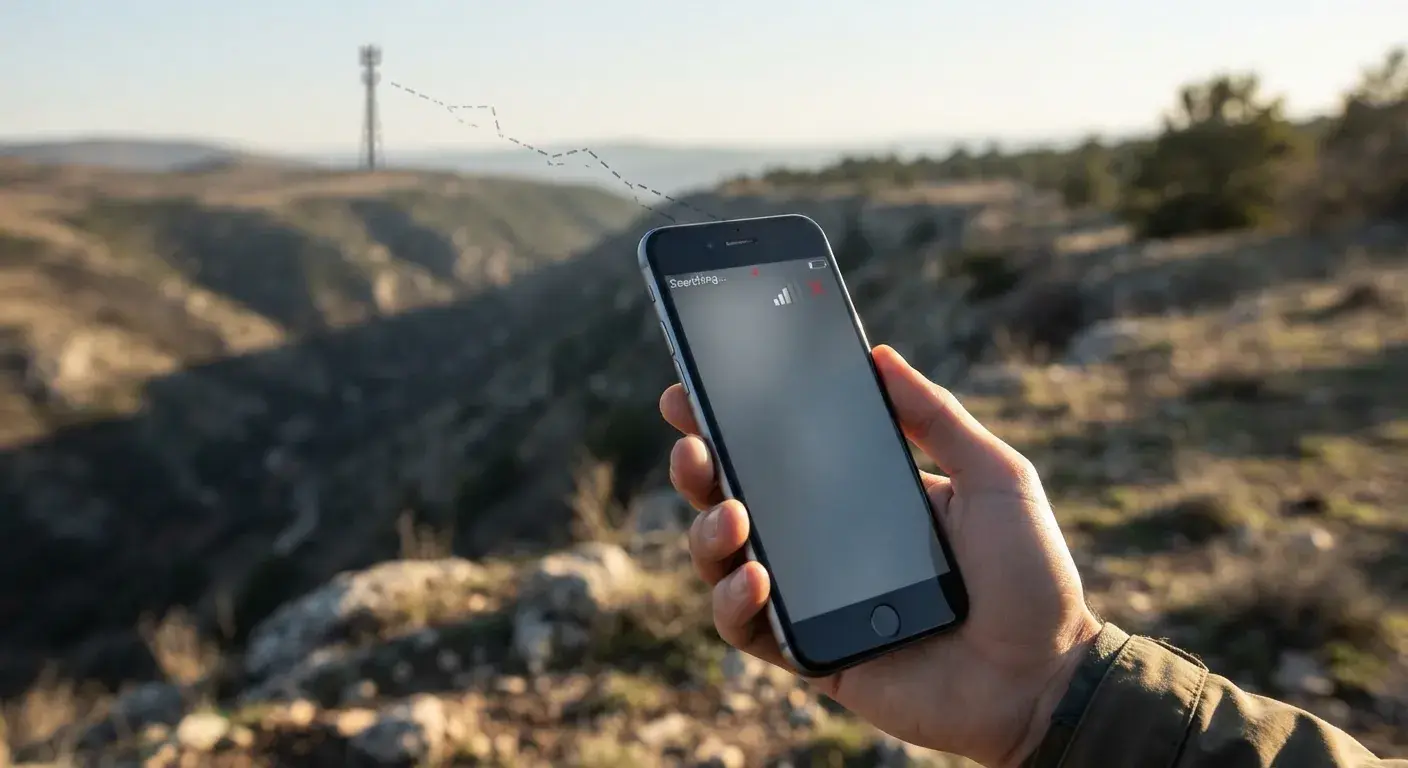
Some locations naturally have weaker cellular coverage. Remote areas, basements, elevators, underground parking garages, and buildings with thick concrete walls can block or weaken mobile signals.
If your phone consistently loses reception in one particular location but works normally elsewhere, the issue may be related to network coverage rather than the device itself.
2. Network Congestion
Mobile networks can become overloaded when many people connect to the same cell tower. This often happens at crowded events, shopping centers, public gatherings, and busy commercial areas.
Network congestion may cause slow internet speeds, interrupted calls, or temporary signal drops. Moving to a less crowded location or waiting until network traffic decreases may improve performance.
3. Damaged or Faulty SIM Card
A SIM card allows your smartphone to connect to your mobile carrier. If it becomes damaged, dirty, improperly inserted, or worn out, your phone may struggle to maintain a stable connection.
You may notice messages such as “No SIM,” “No Service,” or repeated network disconnections. Removing and carefully reinserting the SIM card may help. If the problem continues, contact your carrier about testing or replacing it.
4. Incorrect Network Settings
Incorrect cellular settings can prevent your phone from connecting properly to available networks. For example, selecting an unsuitable network mode or manually choosing the wrong carrier can cause connection problems.
Check that your device is set to automatically select the appropriate network. You can also review its preferred network mode, such as 4G or 5G, depending on your carrier's coverage.
5. Outdated Software
Operating system updates sometimes include improvements to cellular connectivity and carrier compatibility. Running outdated software may contribute to network-related bugs or connection instability.
Check your phone's settings for available software updates. Install updates using a reliable Wi-Fi connection and keep your device sufficiently charged.
6. Physical Damage to Internal Components
A smartphone's internal antenna and related components help it communicate with nearby cellular towers. A hard fall, liquid exposure, or previous poor-quality repair may damage these parts.
If signal problems began after your phone was dropped or exposed to moisture, an internal hardware issue may be responsible. Professional inspection can help determine whether the antenna or another component needs attention.
How to Fix Frequent Network Signal Problems
Try these practical troubleshooting steps before arranging a repair:
Restart your smartphone: A restart can clear temporary software glitches affecting network connectivity.
Turn Airplane Mode on and off: Enable Airplane Mode for approximately 15 seconds, then disable it to refresh the cellular connection.
Check your location: Move near a window or outdoors to see whether reception improves.
Inspect the SIM card: Make sure it is properly inserted and free from visible dirt or damage.
Check for software updates: Install available operating system and carrier settings updates.
Reset network settings: If other solutions fail, resetting network settings may resolve incorrect configurations. Be aware that this can erase saved Wi-Fi networks and Bluetooth connections.
Contact your carrier: Ask whether there is a local outage, coverage issue, or account-related restriction.
If the phone continues losing its signal in places where other devices have reliable reception, further diagnosis may be necessary.
When to Seek Professional Smartphone Repair
Persistent network problems may indicate damage that basic troubleshooting cannot resolve. A technician can inspect the antenna connections, internal components, SIM reader, and other hardware that may affect cellular reception.
Professional diagnosis is especially important if signal loss started after a drop, liquid exposure, or previous repair. Avoid opening the phone yourself because delicate internal components can be damaged easily.
A repair professional can identify whether the issue is hardware-related or caused by software or network configuration. This helps prevent unnecessary repairs and gives you a clearer understanding of the next steps.
Conclusion
A smartphone that keeps losing mobile network signal in certain areas may be experiencing weak coverage, network congestion, SIM card problems, incorrect settings, outdated software, or internal hardware damage. Checking your location, restarting the device, refreshing Airplane Mode, and reviewing network settings can often help identify the cause. If the issue continues, professional diagnosis may be the best option. Smartphone Solutions provides smartphone service information for customers in El Paso, including iPhone screen replacement El Paso and other device-related services. If you need assistance with your phone, visit Smartphone Solutions to learn more about available support.
Frequently Asked Questions
1. Why does my phone lose signal in certain areas?
Your phone may lose signal because of weak tower coverage, thick building materials, remote locations, or network congestion. If the problem happens only in specific places, coverage is a likely explanation.
2. Can a damaged SIM card cause signal problems?
Yes. A damaged, dirty, or incorrectly inserted SIM card can interrupt your phone's connection to the mobile network. Your carrier can help test or replace it.
3. Does restarting a phone improve network reception?
Restarting can resolve temporary software or connectivity glitches. However, it will not fix poor coverage or damaged internal antenna components.
4. Can physical damage affect mobile network reception?
Yes. A fall or liquid exposure can damage the internal antenna or related connections, potentially causing weak reception and repeated disconnections.
5. When should I get my smartphone checked by a technician?
Consider professional inspection if your phone frequently loses signal in areas with reliable coverage, especially if the problem started after physical damage or liquid exposure.
Call to Action
Is your smartphone frequently losing its mobile network signal? Do not let repeated connection problems interrupt your daily routine. Start with basic troubleshooting, and seek professional assistance if the issue continues. Visit Smartphone Solutions to explore smartphone service options in El Paso and get help understanding your device's repair needs.


Join the conversation
Discussion0
Join the conversation. Sign in to leave a response or reply to comments.