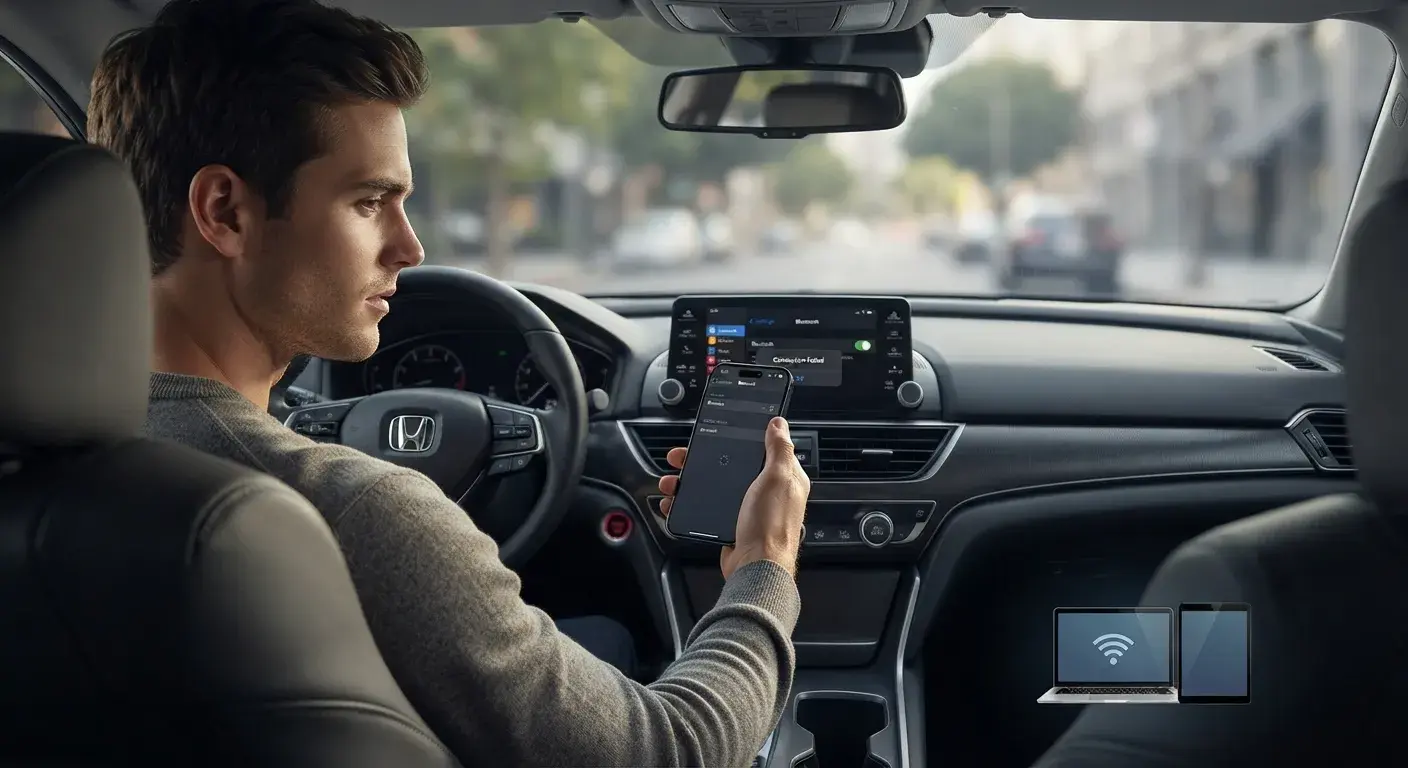
Connecting your iPhone to your car's Bluetooth system makes it easier to enjoy music, answer calls, and use hands-free features while driving. However, sometimes your iPhone may fail to connect, disconnect unexpectedly, or connect without playing audio.
These problems can result from software glitches, outdated settings, Bluetooth interference, or hardware issues. Understanding the possible causes can help you find the right solution. iPC Repair Houston shares helpful information about common smartphone problems and professional cell phone repair Houston services.
Table of Contents
Common Reasons an iPhone Won't Connect to Car Bluetooth
How to Fix iPhone Bluetooth Connection Problems
When Should You Seek Professional Repair?
Frequently Asked Questions
Final Thoughts and CTA
1. Common Reasons an iPhone Won't Connect to Car Bluetooth
Several factors can affect the connection between your iPhone and your vehicle.
Outdated iOS Software
An older iOS version may contain bugs that affect Bluetooth connectivity. Updating your iPhone can sometimes resolve compatibility problems.
Bluetooth Pairing Errors
Incorrect or incomplete pairing can prevent your iPhone and car system from communicating properly.
Multiple Connected Devices
Some vehicles have limits on simultaneous Bluetooth connections. Other paired phones or devices may interfere with the connection process.
Car Infotainment System Issues
Your vehicle's Bluetooth system may experience temporary software glitches or compatibility problems that prevent successful pairing.
Bluetooth Hardware Problems
If your iPhone repeatedly fails to connect to different Bluetooth devices, an internal hardware problem may be responsible.
2. How to Fix iPhone Bluetooth Connection Problems
Try these troubleshooting steps to restore your connection.
Turn Bluetooth Off and On
Open Settings, select Bluetooth, turn it off, wait a few seconds, and turn it back on.
Restart Your iPhone and Car System
Restarting both devices can clear temporary glitches and refresh their connections.
Forget and Reconnect Your Car
Go to Settings, select Bluetooth, tap the information icon beside your car's name, and choose Forget This Device. Then pair the devices again.
Check for Software Updates
Install available iOS updates and check whether your car's infotainment system has a software update available.
Check Other Bluetooth Devices
Try connecting your iPhone to wireless headphones or another Bluetooth accessory. This can help determine whether the issue is specific to your car.
3. When Should You Seek Professional Repair?
If your iPhone cannot connect to multiple Bluetooth devices even after troubleshooting, the problem may involve its Bluetooth hardware or another internal component.
A professional technician can inspect your device, identify possible hardware or software issues, and recommend an appropriate solution.
For assistance with persistent smartphone problems, iPC Repair Houston can be an option to consider when looking for professional repair support.
4. Frequently Asked Questions
Why does my iPhone connect to my car but play no sound?
Incorrect audio settings, infotainment system glitches, or connection problems may prevent sound from playing.
Why does my iPhone keep disconnecting from car Bluetooth?
Possible causes include software bugs, wireless interference, outdated vehicle software, or hardware issues.
Can an iOS update fix car Bluetooth problems?
Yes. An update may resolve software bugs and improve compatibility.
Should I reset my iPhone's network settings?
This can sometimes help, but it also removes saved Wi-Fi networks and other network settings. Consider it after trying simpler solutions.
How do I know if my iPhone has a Bluetooth hardware problem?
If it consistently fails to connect to several Bluetooth devices, professional diagnosis may help identify the cause.
5. Final Thoughts: Get Help With Your iPhone
iPhone Bluetooth connection problems can make driving less convenient, but many issues can be resolved by restarting devices, checking pairing settings, or updating software.
If the problem continues, visit iPC Repair to explore repair assistance.
Contact iPC Repair Houston to learn more about smartphone troubleshooting and repair services.
Join the conversation
Discussion0
Join the conversation. Sign in to leave a response or reply to comments.